To create a support ticket, start a search
Exporting filtered data
The CSV export tool included in Store Commander allows you to export very precise data, simply by using various formulas in the mapping, to be inserted in Modifications column:
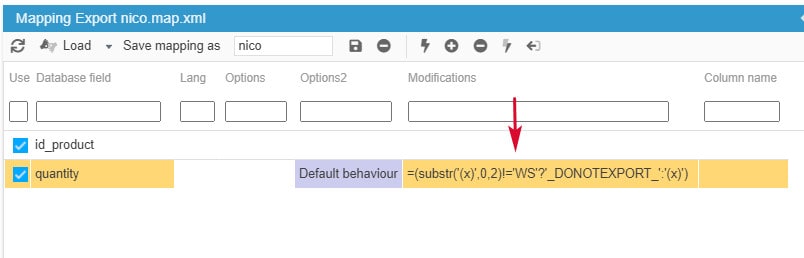
- For Reference field, if the first two characters are different from WS, we do not export the corresponding products
=(substr('(x)',0,2)!='WS'?'_DONOTEXPORT_':'(x)')
- For Reference field, if the last thee characters are WSY, we do not export the corresponding products
=(substr('(x)',-3,3)=='WSY'?'_DONOTEXPORT_':'(x)')
- For Quantity field, we export products with a quantity below or equal to 10
=( '(x)' <= 10 ? '(x)' : '_DONOTEXPORT_')
- For Quantity field, we export products with a quantity between 1 and 10
=( '(x)' >=1 && '(x)' <= 10 ? '(x)' : '_DONOTEXPORT_')
- For Manufacturer, we export products associated to 'Nike'
=( '(x)' == 'Nike' ? '(x)' : '_DONOTEXPORT_')
- For Weight field, we do not export products with a weight equal to 0
=( '(x)' == 0 ? '_DONOTEXPORT_' : '(x)' )
Other formulas can be used to modify character strings or to modify exported prices.
Click on the links below to access the corresponding articles.
Related articles